


The popular advice for a blank reverse screen is simple, just order a new camera. On a late model truck or SUV, that's often the wrong first move. Software, a missing reverse signal, a pinched tailgate harness, or a failed foam seal can kill the image while the camera itself still works. A good rear view camera replacement starts with proving what's broken, matching the exact part, and testing the view like a safety system, not a gadget.
Table of Contents
- Confirm the Camera Failed Before You Buy
- Choose a Matching Camera Before Removal
- How to Replace a Rear View Camera
- Test Field of View and Image Timing
- Seal the Harness So the Fix Lasts
- Fix Problems That Show Up After Install
- Warranty and Returns
Confirm the Camera Failed Before You Buy
A camera replacement can be an unnecessary expense when the fault is in the software, reverse signal, wiring, or connector. Check those systems before removing trim or ordering a part.
Start with the VIN. The NHTSA recall remedy for 2025 to 2026 Ram 1500 trucks covered approximately 239,131 vehicles and called for an over-the-air or dealer software update, not camera replacement. Check for an open camera or infotainment campaign before testing connectors. For other common causes, use this backup camera troubleshooting guide.
Blank or bad reverse image before you order a camera
| Symptom | More likely cause | Do this first |
|---|---|---|
| No image only in reverse; radio otherwise normal | Infotainment software or missing reverse signal | Check the VIN for a camera or radio recall and apply the update |
| Image appears more than 2 seconds after selecting reverse | Software, module, or weak reverse signal | Time the screen; use the recall remedy if one applies |
| Distorted, inverted, flickering, or wrong-color image | Camera electronics or damaged connector | Inspect the plug; replace only with a vehicle-specific camera |
| Drops out after rain or a car wash | Failed seal, water in the connector, or corroded pins | Dry and inspect the gasket and harness before buying a camera |
| Cuts out when the tailgate or hatch moves | Pinched or short harness at a hinge | Inspect routing and slack at the flex point |
| No power at the camera connector | Blown fuse, bad ground, or open wire | Check the fuse and continuity; do not assume the camera is dead |
| Guidelines missing while the picture is clear | Calibration or network coding, not the lens | Run the VIN-specific scan-tool procedure |
Check fuse power and ground at the camera plug with a multimeter. Look for green corrosion or bent pins, then gently move the harness at the hinge while someone watches the screen. If the image cuts out with movement, inspect the wiring before replacing the camera.
What to Record Before Anything Comes Apart
Photograph the image in reverse, the camera's mounting height, and the connector face. Note whether the guidelines move with the steering wheel and whether the image is mirrored correctly. These details give you a baseline for checking the replacement's view and operation.
Restore rear visibility promptly once testing confirms the camera is at fault. An Insurance Institute for Highway Safety analysis of police-reported backing collisions found that rear-view cameras reduced backing-crash involvement rates by about 16 percent on average, with a 40 percent reduction for drivers aged 70 and older. A failed camera leaves you without that view, so address the confirmed fault rather than delaying the repair.
Choose a Matching Camera Before Removal
Fitment isn't year, make, and model alone. You need the mounting location too, because a tailgate handle camera, a bumper camera, and a license lamp housing camera can fit the same truck line in different years and aim in completely different directions.
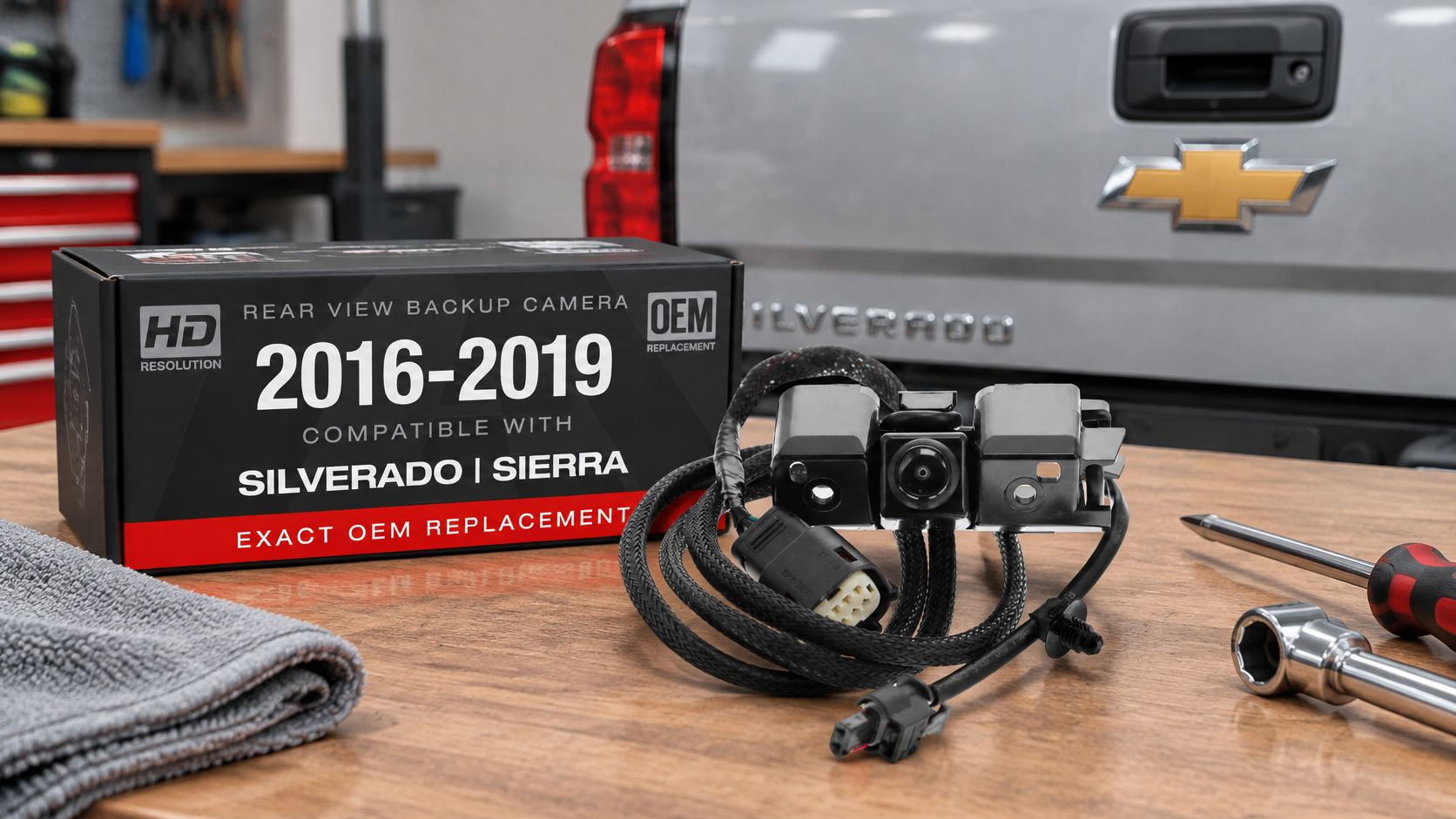
Compare the old part label against the replacement number before you order. For example, a 2016 to 2019 Silverado or Sierra tailgate camera tied to OEM 84062896 or 590-111 is a different job from a 2009 to 2012 RAV4 camera for a vehicle without a spare tire carrier, matched to 8679042011, 8679042010, or 8679042040. Check each number against the service manual for your VIN, not just a fitment dropdown.
A plug that clicks in doesn't prove compatibility. Confirm these items side by side:
- Connector pinout: Power, ground, and video pins must land in the same cavities.
- Video format and polarity: A mismatch can give you no image or a rolling, unusable one.
- Mirror setting: The wrong setting flips left and right on screen.
- Guidelines and coding: Some vehicles generate lines in the camera, others in the radio or a module.
- Mounting clocking: The lens must sit at the original angle, not rotated in the hole.
If you're comparing options, our roundup of the best aftermarket rear view camera choices covers what separates a vehicle-specific unit from a universal one. For GM trucks, the Backup Camera Compatible with 2016-2019 Chevy Silverado, GMC Sierra - OEM Replacement Reverse Camera 84062896, 590-111 is directly compatible with those OEM numbers for the listed Silverado and Sierra applications. We offer CAPA certified rearview cameras, which matters for fleets and collision shops that have to document parts. You can search by vehicle for Silverado, Sierra, Tacoma, Tundra, and similar trucks.
Ordering rule: Don't pull trim until the box number matches the number in your photo of the original camera.
That one check prevents most wrong-variant comebacks. It also protects coverage, since a part must be installed correctly and used on the vehicle it was sold for to be covered by the extended warranty.
How to Replace a Rear View Camera
A blank screen does not automatically mean the camera is dead. A pinched harness, missing reverse signal, or software configuration issue can cause the same symptom, so confirm the fault before ordering a replacement. Once the camera itself is confirmed, lay out plastic trim tools, a socket and ratchet, a Torx or hex driver, a multimeter, connector-safe contact cleaner, a replacement or saved OEM foam seal, zip ties, and a scan tool if the vehicle requires configuration.
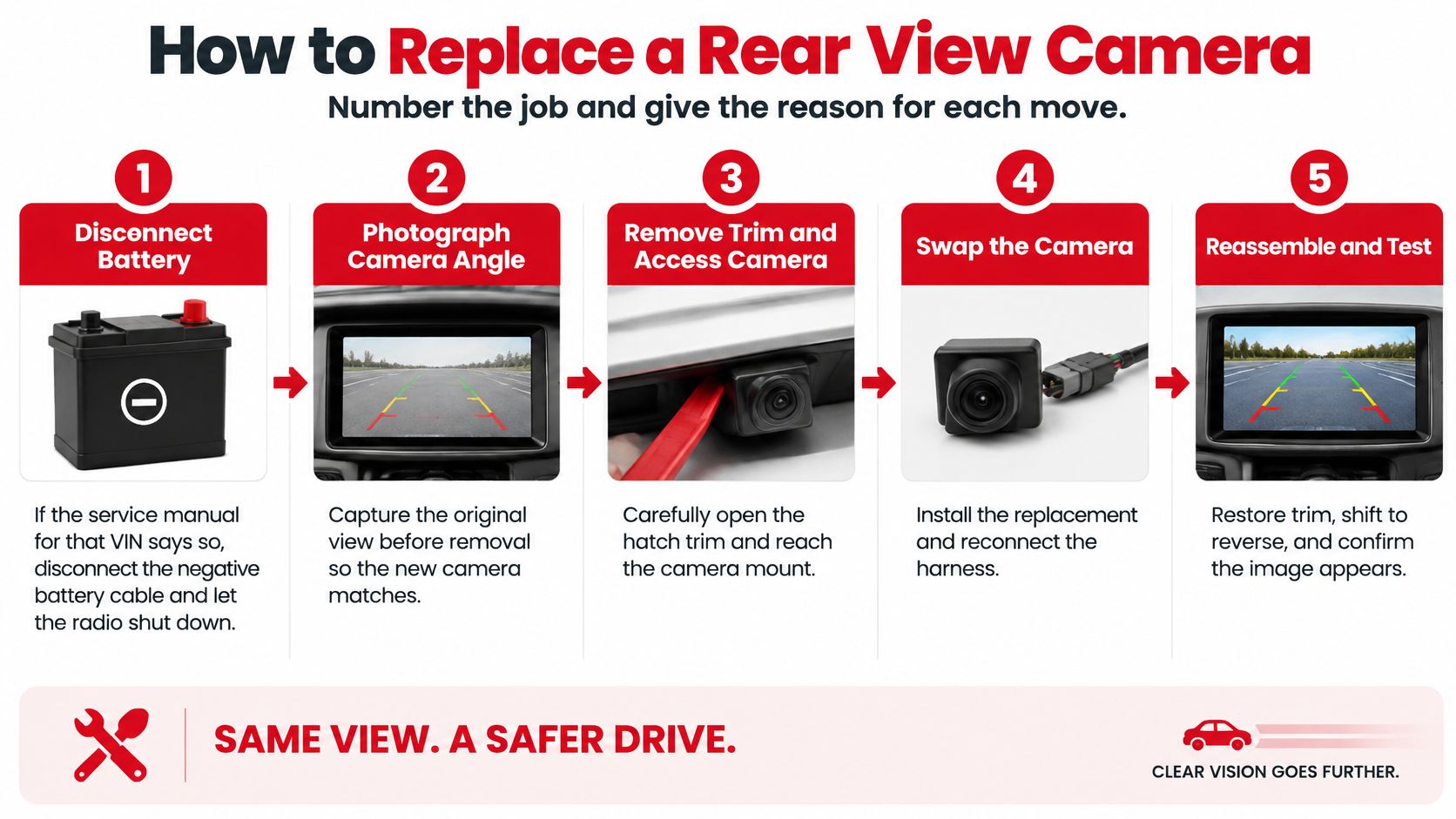
The infographic condenses the job into five moves. Use the nine steps below for the checks that help prevent a comeback.
The Nine Steps in Order
- Disconnect the battery if the manual requires it. Follow the service manual for that VIN, disconnect the negative cable, and let the radio shut down fully. This reduces the risk of a short while you work around trim and connectors.
- Photograph everything before unplugging. Capture the camera angle, on-screen guidelines, image orientation, and connector. These photos give you a baseline for checking the completed installation.
- Remove trim with plastic tools. Carefully release the tailgate bezel, bumper cover clips, or license lamp trim, and stay clear of airbag wiring. Metal tools can crack cold plastic or gouge paint.
- Release the connector lock and note pin colors. Record the details, but remember that a matching plug alone does not confirm compatibility.
- Inspect inside the plug. Check for water, green corrosion, crushed conductors, and a loose ground. Clean light corrosion, and repair damaged terminals instead of forcing the replacement camera onto a faulty connection.
- Unbolt the camera or its handle. Save the original gasket if the new part does not include one. You will need a sound seal when reinstalling the assembly.
- Seat the new camera in the original hole and orientation. Keep the lens at its original height and angle. Even a small shift can change the view near the bumper.
- Clip the harness and reinstall trim. Route the lead clear of hinges and hot exhaust parts, then confirm each factory clip is seated.
- Reconnect power and configure if required. Reconnect the battery, then perform scan-tool camera configuration or guideline calibration when the manual calls for it. Select reverse and verify that the camera activates, the screen starts, the image stays stable, and steering-linked guidelines respond.
The NHTSA test procedure for rear visibility specifies objects at different distances and positions behind the vehicle. Camera placement matters: moving the unit during body repair can change what appears on screen, even when the system powers up normally.
Fitment examples show why the original mounting point matters. The Silverado and Sierra tailgate camera follows OEM 84062896 or 590-111 and sits in the handle area. The Back up Reverse Camera, Compatible with 09-12 Toyota RAV4 W/O Spare TIRE Carrier - OEM # 8679042011, 8679042010, 8679042040 fits the 2009 to 2012 RAV4 application without a spare tire carrier. Neither application calls for drilling a new hole for a generic wide-angle camera.
Test Field of View and Image Timing
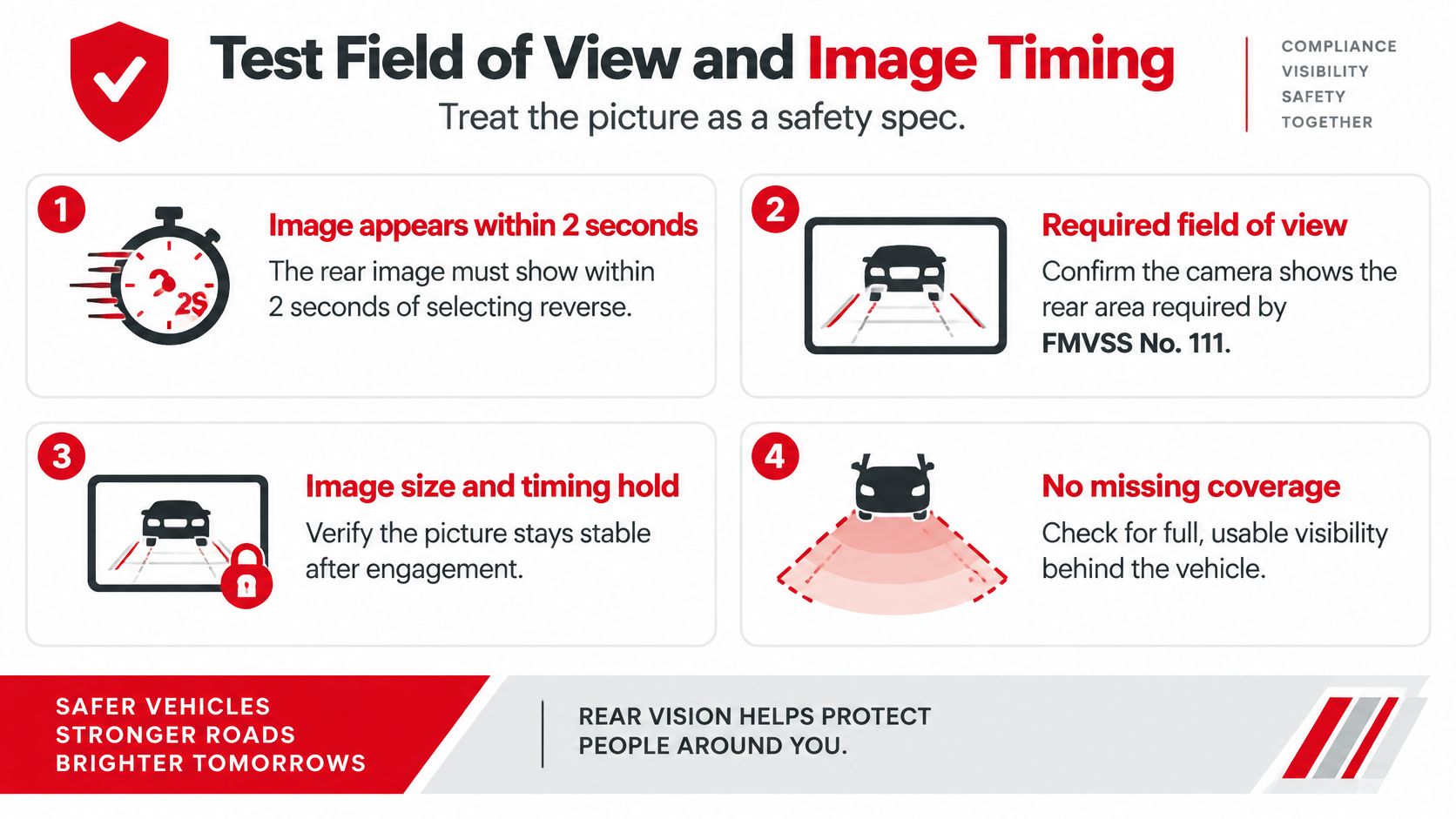
A camera can show a clear picture and still fail the test. Check startup time, target coverage, and image orientation before accepting the replacement. For vehicles covered by FMVSS No. 111, the NHTSA final rule on rear visibility technology requires the rearview image to appear within 2 seconds of selecting reverse, with the required field of view, image size, durability, and controlled deactivation behavior. Use a phone stopwatch. If the display takes longer, check the reverse signal, wiring, or camera configuration before replacing parts again.
Work on level ground with the lens clean and the tires pointed straight ahead. Use the same viewing position as for your before photo.
Lay Out the Target Zone
Place cones, buckets, or cylinders to mark a zone about 10 feet wide and 20 feet long behind the bumper. Set targets at the far corners, in the center, and close to the bumper on both sides. From the driver's seat, compare what appears on screen with your before photo.
The NHTSA rear-visibility test procedure specifies that objects 20 feet behind the vehicle must have an average apparent angular size of at least 5 minutes of arc, with no individual test cylinder below 3 minutes of arc (NHTSA test procedure). In practical terms, distant targets should remain identifiable, and close targets should not vanish into a blind strip near the bumper.
A lens rating of 130° or 180° describes the camera's angle around its optical center. It does not confirm that the installed unit covers the required zone from its actual mounting height.
Failures That Still Show a Picture
Stop and diagnose the cause if you find any of these problems:
- Inverted or mirrored image: Text on a target reads backward, or the image is upside down.
- Cropped corners: Far corner targets disappear while the center remains visible.
- Heavy extra fisheye: Straight lines bow much more than in the before photo.
- Frozen guidelines: Dynamic lines fail to move as you turn the steering wheel.
- Flicker or slow startup: The image stutters, rolls, or appears after the 2-second limit.
Check the image after dark, too. Reverse lamps can change how clearly the camera shows targets. If the vehicle has dynamic guidelines, turn the wheel lock to lock and confirm the lines track smoothly without jumping.
A camera shifted during body repair may produce a bright, stable image while missing the close bumper zone. Position is one of the three pass criteria, alongside timing and zone coverage.
Acceptance rule: Keep the replacement only if timing, zone coverage, and orientation all pass.
Seal the Harness So the Fix Lasts
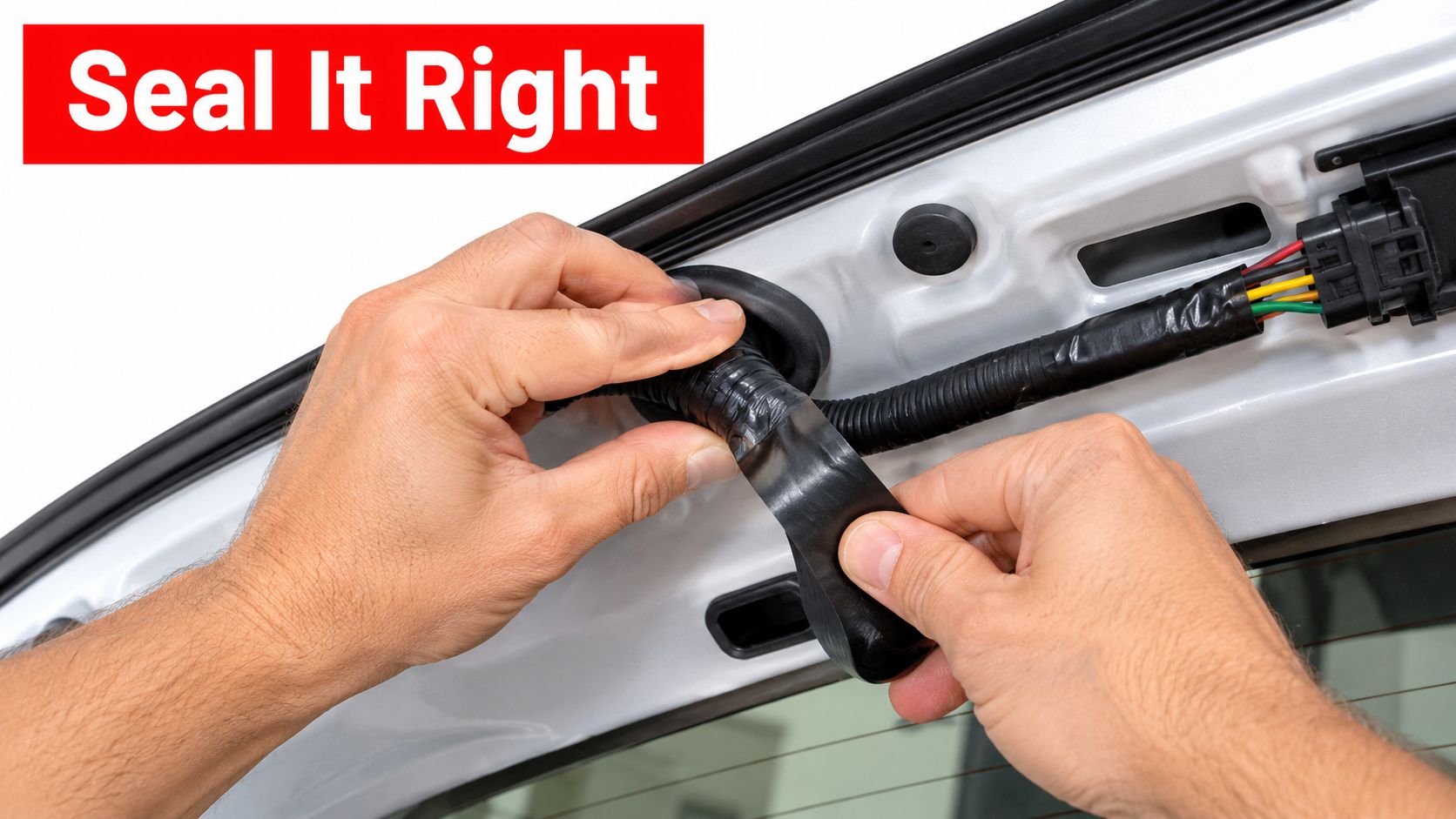
Tailgate harnesses that flex at the hinge can crack, while a poorly seated seal lets water reach the camera connector. Check both before closing the trim. A replacement camera will not solve a pinched wire or a leaking gasket.
A 2025 NHTSA recall involving certain 2024 to 2025 Hyundai Santa Fe vehicles identified a rearview-camera wire harness damaged by improper installation and provided instructions to replace it. The lesson for a camera repair is practical: support the wiring, preserve its slack, and seat the seal correctly.
Gasket, Routing, and Connector Care
Fit the new gasket or saved OEM foam flat, fully seated, and untwisted. Replace a torn or compressed seal rather than trying to compensate with silicone. An uneven seal leaves a path for water.
Route the lead away from exhaust heat and leave a service loop at the tailgate or hatch hinge. Check that the harness has slack through the gate's full travel, then secure it with the factory clips. A zip tie through a drain hole can create a leak, and a tight tie around the harness can crush its conductors.
Use dielectric grease only if the maker allows it. Keep it off video pins that the manual says must stay dry; grease in the wrong place can cause an intermittent signal.
The embedded video is below.
Spray and Cycle Tests
After reassembly, mist the camera and handle with a hose from above while a helper watches the screen. Avoid directing a pressure washer at the connector. The aim is to check for leaks under a light spray.
Cycle the tailgate or hatch ten times and watch for dropouts, flicker, or a frozen frame. If the image fails only when the gate reaches a certain position, inspect the harness slack and routing before replacing the camera.
A camera that works on the bench and fails after rain points to a sealing problem.
The repair is ready when the image stays stable through the spray test and the gate's full travel.
Fix Problems That Show Up After Install
A new fault after a swap usually points to configuration, routing, or sealing, not to a second defective camera. Work the symptom you have, and resist ordering another part until you've ruled out the install itself.
An upside-down or mirrored picture is the most common surprise. It usually means the wrong camera variant or a mirror setting that was never configured, not a loose ground. Confirm the exact part number first, then run the configuration procedure for your VIN.
Faults after the new camera is in
| After install | Usual cause | Next action |
|---|---|---|
| Image upside down or mirrored | Wrong variant or mirror setting not set | Confirm the exact camera and run configuration |
| Picture good, guidelines frozen | Calibration not completed | Run the VIN scan-tool guideline procedure |
| Image dies as the tailgate opens | Lead too short or pinched at the hinge | Restore slack and cycle the gate ten times |
| Night image washed out | Film or dirt on the lens, or wrong module | Clean the lens, then verify the part number |
| Camera fault on the cluster | Network camera not coded | Initialize per the service manual |
| Water in the connector the next day | Gasket or foam left out or twisted | Reseat the seal and repeat the light spray test |
Static guidelines with a good picture mean the steering-angle calibration was skipped. Follow the VIN procedure rather than bending the bracket to fake alignment. Bending metal changes the view zone and creates a second problem while hiding the first.
A black screen with confirmed power and ground at the connector should send you back to the display input or a software update. If you're tracing that path, a backup camera wiring diagram helps you follow power, ground, and signal without guessing. Don't condemn a second camera for a radio that never switches inputs.
For a washed-out night image, start with the lens. A fingerprint or shipping film will flare under reverse lamps. Clean it with a microfiber cloth, and if the image is still blown out, verify you didn't install the wrong exposure module for that trim.
A cluster camera fault after a plug-and-play swap on a networked truck usually needs coding. A generic analog camera can't accept that coding, which is why vehicle-specific fitment matters before removal, not after a fault appears.
Independent shops should document the before photo, the installed part number, and the timed startup in the repair order. That paper trail makes a comeback traceable in minutes instead of starting diagnosis from zero.
A second parts order is justified only when power, seal, coding, and the correct OEM-style number have all been ruled out.
Warranty and Returns
A blank screen does not automatically mean the camera is covered as defective. Before making a claim, rule out a pinched harness, a sealing problem, or a fault in the reverse signal or display. The extended warranty covers a part installed correctly and used for its intended purpose on the vehicle it was sold for.
If a part arrives damaged or defective, T1A Auto arranges a replacement or refund as soon as possible. For other warranty claims, clear photos or video can help document the connector, installation, and reported fault. Most claims are resolved through photo or video verification without returning the original part. If a return is required, T1A Auto provides instructions.
Keep the old camera and gasket until the replacement has passed the checks. If the image fails after rain, document the symptoms and inspect the seal and harness before treating the camera itself as the cause. Once a warranty claim is approved, T1A Auto ships a replacement part; if that replacement is unavailable, a refund may be issued at its discretion.
When the camera is confirmed faulty, choose a vehicle-specific replacement rather than a universal unit. T1A Auto offers CAPA certified rearview cameras, and you can search for parts by vehicle on its website.
